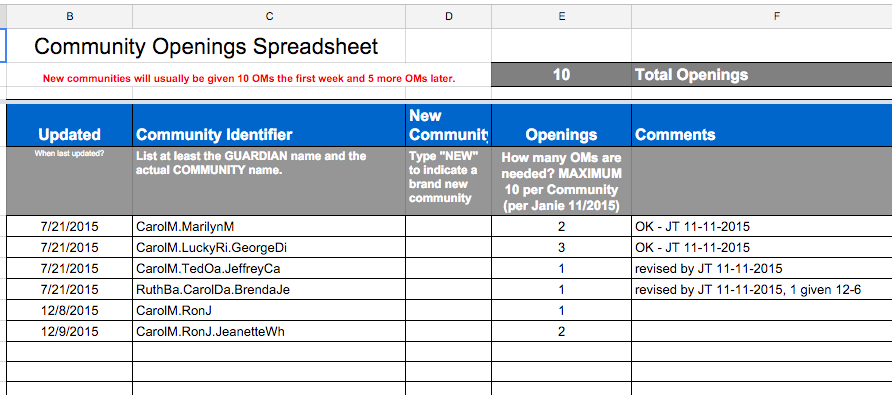
Guardians over General branches are sometimes notified that we have OMs needing a new home. If English Applications are open, we may also have OMs coming into the system who are not targeted for a partner Church or Organization, and Training needs to know where to place them upon graduation from Training.
After you have gained access to the COS, please determine which CLs in your branch may want more OMs, and enter your requests.
- In ‘Updated’ column, enter the date you are logging the request.
- In ‘Community Identifier’ column, enter the destination community string as shown in Assist, each level separated by a ‘.’
- If the community is a brand new one, you can enter the word ‘NEW’ in the ‘New Community’ column. That team will be given priority in receiving OMs.
- Enter the number of OMs the CL is willing to receive. New Communities usually aim for about 15, and they may arrive in batches.
- Check this spreadsheet often to keep your communities up to date.
- After your CL has received all their requested OMs, and their openings are at ‘0’, the row will be deleted.